
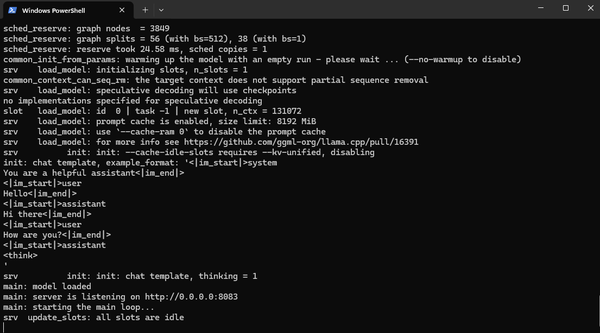
Running AI Models Locally
In the previous article, I mentioned how I used the Pi coding harness and connected it to a Qwen 3.6 35 billion parameter model that was running locally on my desktop.
In this article, I'll go through my setup and how I got it running.
Hardware
The nice bit of the Qwen 3.6 35b model is that it can run on mid- and high-end consumer hardware.
This is what my desktop configuration looks like:
- Nvidia RTX 5080 graphics card
- 16 GB VRAM (for the GPU)
- AMD Ryzen 7 9800X3D processor
- 64 GB RAM
The model architecture
Qwen 3.6 actually comes in a few different configurations. There is the Qwen3.6-27B model, which is a 27 billion parameter model and the Qwen3.6-35B-A3B model which is a 35 billion parameter model. Apart from these two, there are large variants that are not open and only available via Qwen's API platform.
In general, running a 27 billion parameter model requires 2 x 27 = 54GB of VRAM. This is because of the space required to load each of those parameters into VRAM, plus additional amount to host something called the Key-Value Cache (KV Cache).
Consumer graphics cards come with between 8GB to 24GB of VRAM depending on the graphics card, which is not enough to run the 27B variant.
Some computers (Macs, DGX Spark, ASUS GX10, AMD Halo etc) come with unified memory. This is memory that can be accessed by both the GPU and the CPU. Unified memory is usually around the range of 128GB, opening the possibility of running much larger models locally. The downside of unified memory is that it is much slower than dedicated GPU VRAM, so throughput is much lower.
What about the 35B model variant? This particular model has an architecture called "mixture of experts". In this architecture, the parameters are divided up into different "experts". At a particular time, only a few of the experts are used. Thus there is no need to load the entire model into VRAM.
The A3B suffix at the end of the model name says that only 3 billion parameters are active at a time. The more VRAM you have, the more of the model can be stored into VRAM and the faster the model will run. Otherwise, parts of the model have to be swapped in and out of VRAM as different experts get activated at different times, making it slower to run. With my 5080 and 16GB of VRAM, I am able to get around 70 tokens per second, which is a fairly decent throughput for a larger local model.
Quantisation
Each parameter in a model uses 32bits (4 bytes) of memory to store it's value. Quantisation refers to using less space per memory. For example, using 16 bits (2 bytes) instead of 4 bytes to store each parameter can cut the VRAM memory requirement to store the model in half. The trade-off is slightly lower quality output from the model.
We can quantise even more aggressively to 8 bit, 4 bit or even 1 bit quantisation.
Since Qwen 3.6 35B is an open weight model, other third parties can take the full model and quantise it. The image below shows the various quantisation combinations that are available for this model, along with how my VRAM is required to fully load that version.
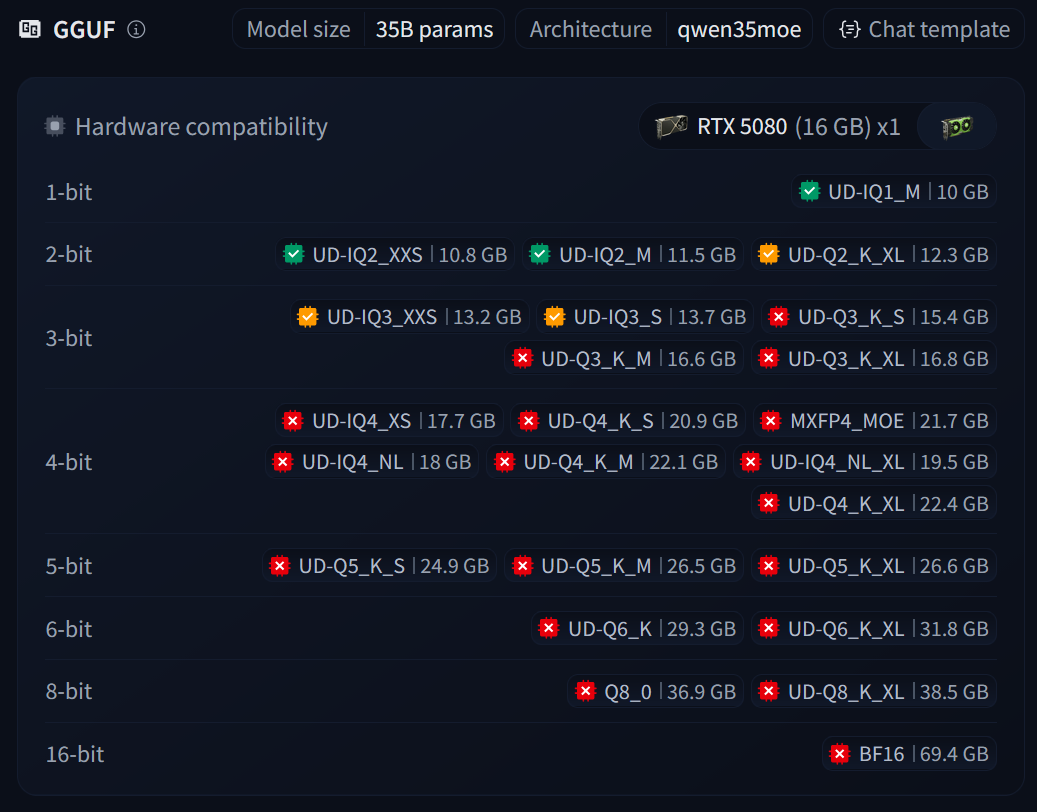
As we can see above, the 35B parameter model that would normally use about 70GB of VRAM to load fully, can now fit in 16-24GB VRAM fully with quantisation enabled.
Even within a bit level, there are a few different quantisation techniques which is referred in the suffixes like K_M or IQ4. For a full list of what each suffix means, refer to the article below
 Dylan Boudro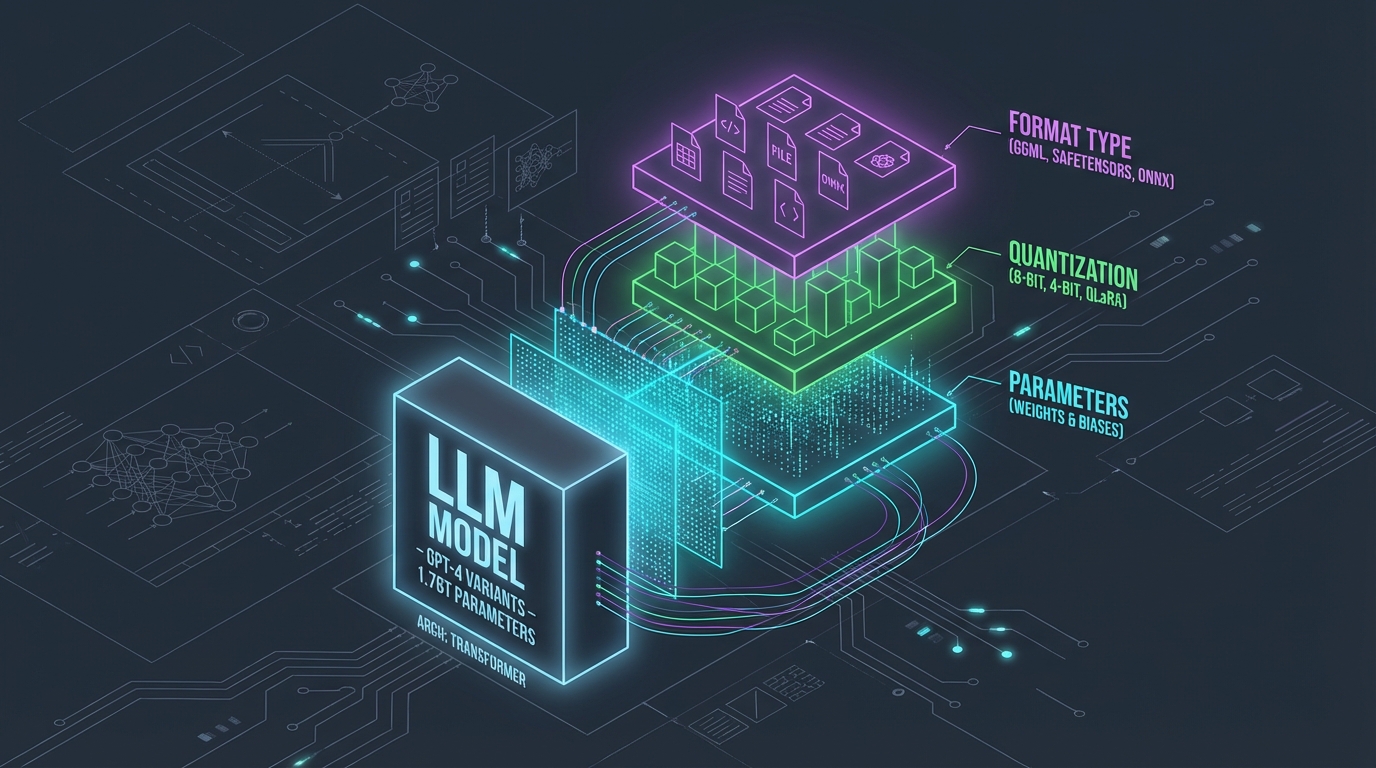
While 1-3 bit quantisation can have a larger drop in quality, 4 bit onwards provides a decent quality that is viable for daily use. We can choose the quantisation level that we want to use based on available hardware.
CPU Offloading
The final part of loading the model on local hardware uses a feature called CPU offloading. Since Qwen 3.6 35B is a mixture of experts model, we don't need the whole model in VRAM. Just the experts which are in use (3B parameters) need to be in VRAM. The remaining idle experts can be stored in regular RAM itself.
This opens the possibility of running a 4bit quantised model (which might need 22GB to fully load) even in an 8GB VRAM card.
Which experts are active at a time keeps changing at every layer of the model, so when less experts are loaded into VRAM, the inference server needs to keep swapping the active experts in and out of VRAM. The result is lower throughput. With higher VRAM we can store more experts, including idle ones, in VRAM and there is less swapping.
Summary
By using a combination of choosing the model with a suitable architecture, quantisation and CPU offloading, we can run good quality LLM models on mid- and high-end consumer hardware.
- Architecture: Mixture of experts models don't require the entire model to be loaded into VRAM, only the active parameters need to fit
- Quantisation: With quantisation, we can fit more of the model into VRAM
- CPU Offloading: CPU offloading allows us to swap parameters between RAM and VRAM so that the model runs even when it does not fully fit in VRAM
In the next article, I'll walk through my particular configuration that I used for ChennaiPy.
Written by
What's Next?
The Pi Coding Agent
Last month I did a session at the local ChennaiPy meetup about "Pi and Py: Using the Pi agent for Python coding". Pi is a coding agent harness. If you've used Claude Code or Codex for coding, then Pi is similar to those tools. You can learn more about Pi below: Pi Coding AgentA terminal-based coding agent Open source Coding Harnesses One differentiator between Pi and Claude Code / Codex is that Pi is open source. Another tool in the open source agentic coding space is Opencode. There are tw